
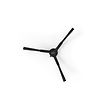
Side Brush

What You Need: (click to shop)
Box Contents
Dustin Combo™ by bObsweep, Self-empty charging station, Charging Bed, Dustbag, Filter, Rubber Brush, Side brushes (2), Mop attachments (2), Microfiber mopping cloths (4), Cleaning tool, Owner’s Manual, Quick Start Guide, Warranty Card
Dustin Combo's First Clean
Before starting: Remove the protective pieces from Dustin Combo's bumper and station.

1. Install Side Brush
Place the side brush over the empty socket on Dustin Combo. Press down to lock.

2. Power Dustin ON.
Press and hold the GO button until the screen lights up.
3. Charge
Place the charging station over the sockets on the charging bed. Note that the sockets on the charging bed fit into the charging station on its front.
Place Dustin Combo on his charging bed with the metal nodes on his back resting against the plates on the station and allow him to fully charge.
Charging Indicators:
- Low Battery: The battery indicator blinks rapidly
- Finding Station: The battery indicator blinks
- Charging: The battery indicator blinks slowly
- Fully Charged: The battery indicator shines solid
Important Note:
Dustin Combo always returns to his charging station after cleaning. To increase Dustin Combo's chance of finding his station, place it on a hard flat surface with plenty of room around it.


4. Download bObsweep App
Download the bObsweep app for your iOS or Android device. Create your account and connect your bot.

5. Let Bob Sweep!
When done, Dustin Combo is ready to sweep! Press the Go button.
Browse Support Guides


Shop Parts & Accessories
Need a part for your Dustin Combo? We've got you covered.
Visit the bObsweep Shop
Still need help? We’re always eager to chat!


.png)


